
Graphics card HDMI
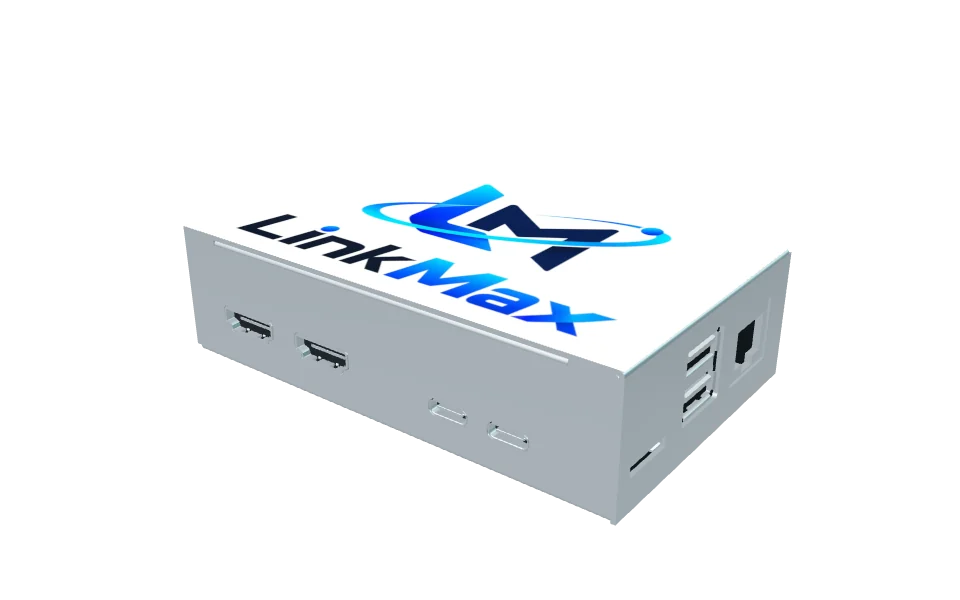
Connect the leftmost HDMI socket to the graphics card HDMI output.
SETUP & SUPPORT
Connect your graphics card, computer and mouse by following the numbered ports.
01 · CONNECTION GUIDE
Face the HDMI and Type-C side and read left to right. Select a button to turn the model toward that port.
Select a connection to locate itFront ports are read left to right
02 · CONNECTION CHECK
Connect the leftmost HDMI socket to the graphics card HDMI output.
Of the two Type-C sockets on the right, connect the first to the computer.
Connect power to the second Type-C socket. Check all positions before powering on.
Either of the two stacked USB-A sockets on the side can connect a mouse.
The second HDMI socket is not assigned a use here. Check the supplied documentation and device.
03 · DEVICE MANAGEMENT
Open the official LinkMax setup page with the device console button. Refer to the device information for activation and settings.